 Social
Instagram Account Health Check: How to Vet Any Account (2026)
2026-08-02
Before you partner with an influencer, pay for a shoutout, or judge your own growth, it pays to run a quick Instagram account health check. A "healthy" account isn't just one with lots of followers — it's one whose audience is real, active and growing naturally. Here's how to check any account in a few minutes, using the signals that actually matter.
What "account health" means
Account health is how genuine and engaged an account's audience is, relative to its size. A healthy account turns followers into real interaction; an unhealthy one has a big number on paper and little behind it. The good news: the main signals are all visible from the outside — no login required.
5 checks for a healthy Instagram account
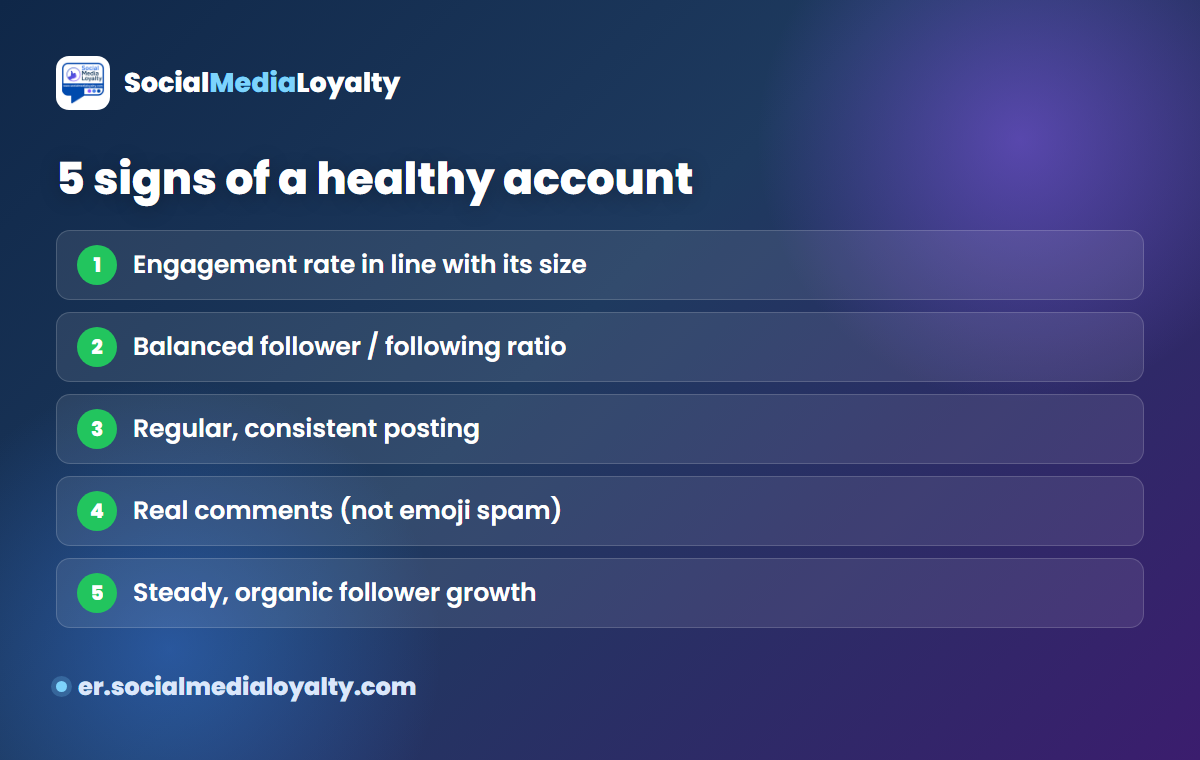
- Engagement rate in line with its size. The single most important check — more on this below.
- Balanced follower/following ratio. Real accounts don't follow ten times more people than follow them back.
- Regular, consistent posting. A healthy account is active over time, not dormant or posting in random bursts.
- Real comments, not emoji spam. Look at recent comments — genuine sentences beat rows of 🔥❤️ from bot accounts.
- Steady, organic follower growth. Gradual growth is healthy; sudden overnight spikes usually mean bought followers.
The #1 signal: engagement rate vs peers
The best single health check is comparing an account's engagement rate to others of the same size. Engagement rate — average likes plus comments, divided by followers — cuts straight through a big follower number to show how many people actually care.
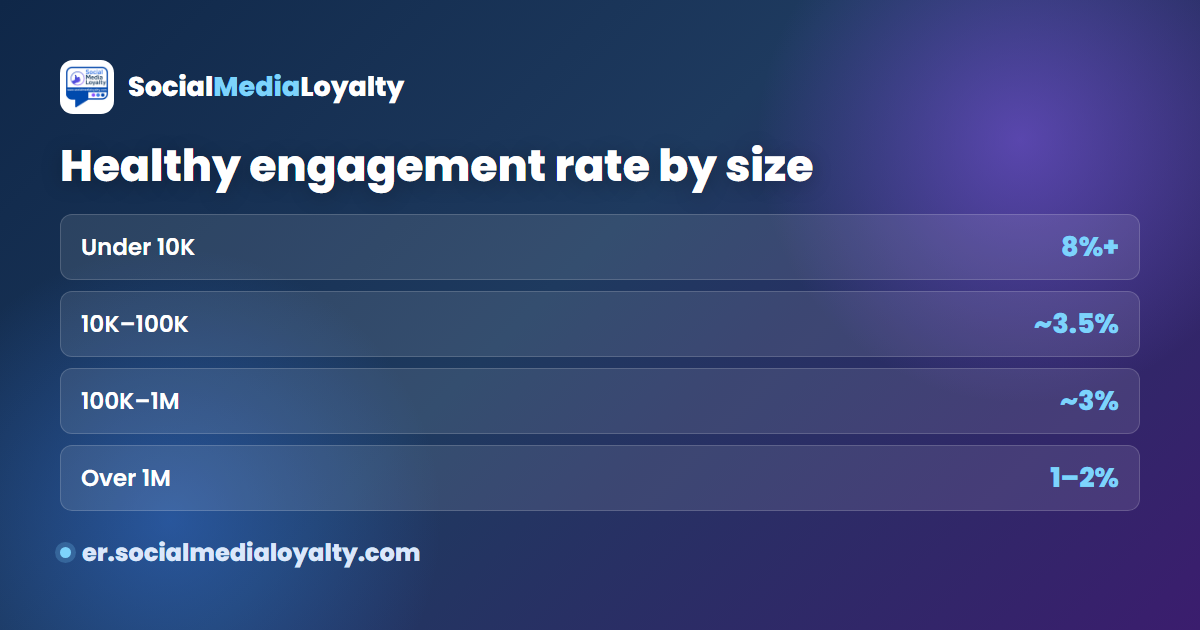
As a rough guide, accounts under 10K followers should sit around 8%, 10K–100K around 3.5%, 100K–1M around 3%, and 1M+ around 1–2%. Measure any account with the free engagement rate calculator and compare it to the 2026 benchmarks. If a 100K account sits at 0.3% instead of ~3%, that's a clear red flag.
Healthy vs unhealthy account
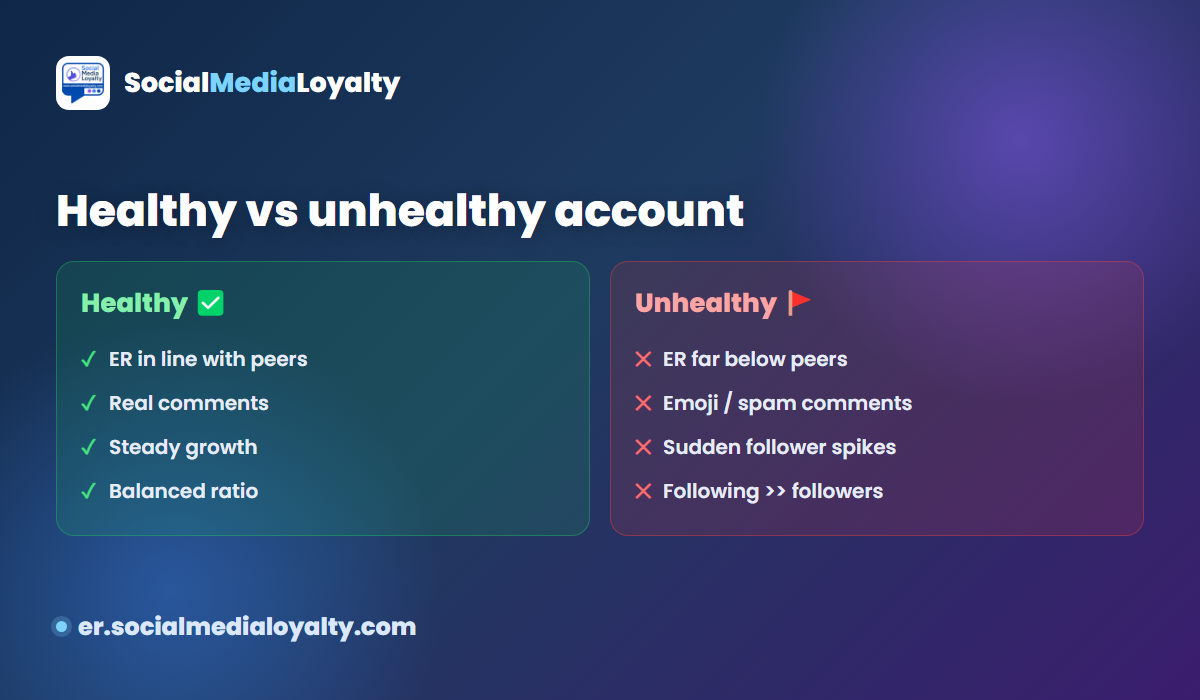
A healthy account shows an engagement rate in line with its peers, real comments, steady growth and a balanced ratio. An unhealthy one shows an engagement rate far below its size peers, emoji or spam comments, sudden follower spikes, and a following count far higher than its followers. When several red flags stack up, the account's "audience" is mostly for show.
How to run a quick health check
- Check the engagement rate with the calculator and compare it to benchmarks for its size.
- Scan recent comments — real sentences or 🔥❤️ spam?
- Look at the follower/following ratio and the post count.
- Watch for sudden follower spikes, a sign of bought followers.
- Browse similar accounts in the directory to see what "normal" looks like in that niche.
Red flags: fake and bought followers
The most common cause of poor account health is fake followers — they inflate the count but never engage, so they drag the engagement rate down. If the checks above raise doubts, read our full guide on how to detect fake Instagram followers. For a quick sense of what a healthy number looks like, see what a good engagement rate is.
Frequently asked questions
Is there an Instagram account health checker?
You can check the signals that matter — engagement rate vs peers, follower/following ratio, comment quality and growth pattern — without any special tool. For the key number, use the free engagement rate calculator and compare it to the benchmarks.
How do I check if an Instagram account is real and high quality?
Compare its engagement rate to same-size accounts, read the comments, and check for a balanced ratio and steady growth. A low rate for its size often means fake followers — see how to detect fake followers.
What is an audience quality score?
It's an informal measure of how real and engaged an account's followers are. There's no official Instagram score, but engagement rate, real-comment ratio and organic growth together tell you most of the story. Compare accounts in the directory.
What is a good account rating or engagement rate?
It depends on size: roughly 4%+ under 10K, ~3% for mid-size, and 1–2% for very large accounts. See the 2026 benchmarks for exact medians.
Can I check the health of many accounts at once?
Yes — the Engagement Rate API returns the key metrics for any public username, so you can screen a whole list before a campaign.
Quick health checklist
- Engagement rate in line with its size?
- Balanced follower/following ratio?
- Posts regularly over time?
- Real comments, not emoji spam?
- Growth is gradual, no sudden spikes?
Tick most of these and the account is healthy. If you run campaigns and want this scored automatically for your audience, that's what Social Media Loyalty is built for.
More from Social Media Loyalty
Instagram engagement tracking
Measure likes, comments and story shares, and build a loyalty leaderboard.
Pricing & order
Simple monthly plans — start tracking one account in minutes.
Blog
More guides and ideas on audience loyalty and engagement.
Campaign leaderboards ↗
See live loyalty leaderboards for real campaigns.
Engagement rate checker ↗
Any public Instagram account's engagement rate, likes and views.