 Social
How to Get Instagram Data via API (2026 Guide)
2026-08-08

There are two ways to get Instagram data programmatically: the official Graph API, or a third-party data API. For most real-world needs — pulling public profiles, posts, likers, comments, stories and engagement rate — the third-party route is far simpler. Here's how it works and how to choose.
Two ways to get Instagram data
The official Instagram Graph API is built for managing your own business/creator account. A third-party data API reads public data for any account and returns it as JSON. If you need data about accounts you don't own, the third-party route is usually the only practical one.
The official Instagram API and its limits
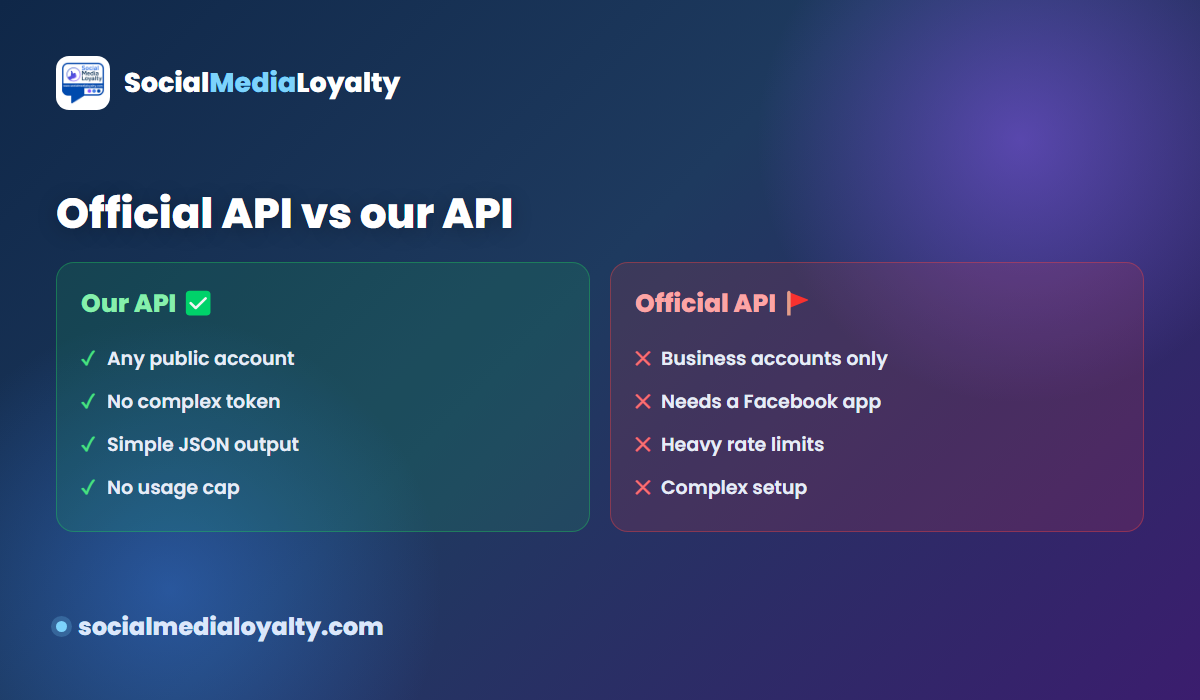
The Graph API requires an Instagram Business or Creator account, a linked Facebook page, a Facebook developer account and a registered app — plus access tokens and review. It also won't give you arbitrary public accounts' data. That's a lot of setup for what is often a simple need.
What data you can get
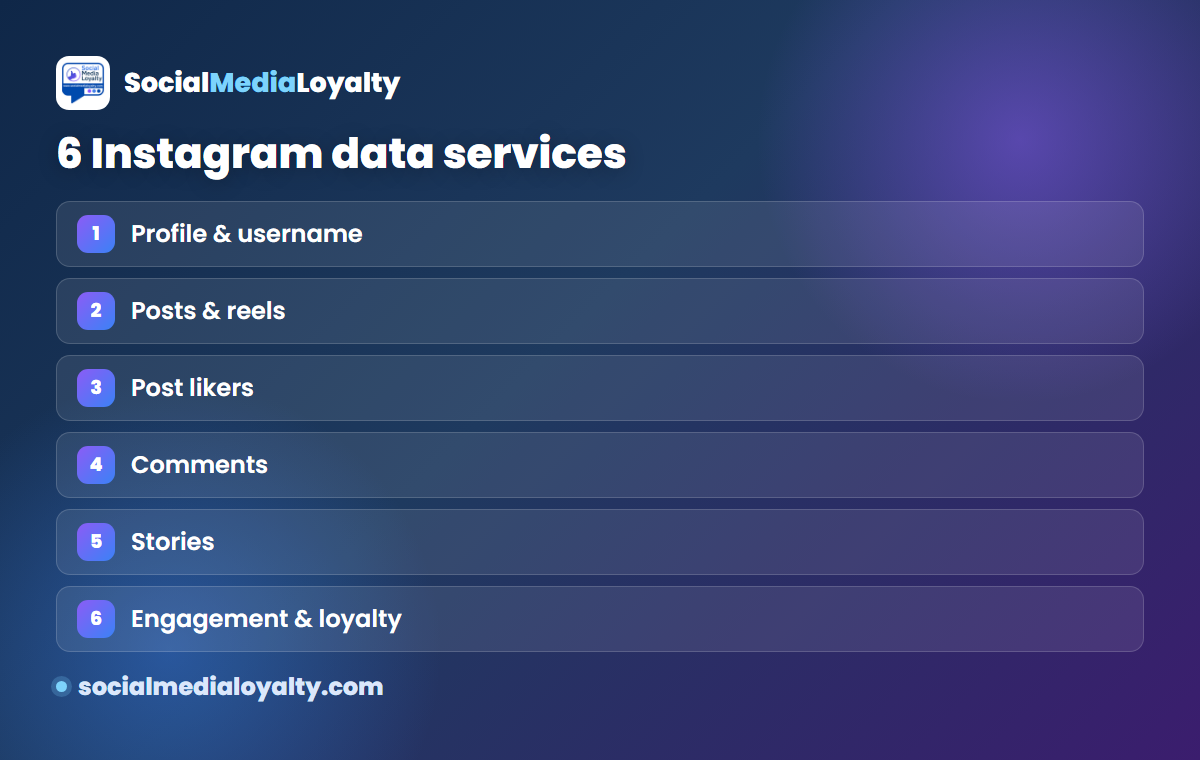
A full Instagram data API typically covers six services: profile & username info, posts & reels data, post likers, comments, stories, and engagement rate / loyalty scoring.
What the response looks like
Everything comes back as clean JSON — counts, timestamps, media URLs, user records — so you can drop it straight into a script, spreadsheet or dashboard. No HTML parsing, no scraping fragility.
Is it legal to extract Instagram data?
Reading publicly available data from public accounts is a common, established practice. Keep it to public data, respect rate limits, and use it responsibly — the same principles any analytics tool follows.
How to start
Our Instagram data API gives you all six services with a simple key and pay-as-you-go pricing. For engagement rate specifically, see the Engagement Rate API, browse real numbers in the directory, or read our Instagram Followers API guide for follower/liker lists.
Best practices for extracting Instagram data
- Stick to public data. Read what is publicly visible on public accounts — nothing private.
- Cache what you pull. Store responses so you do not re-request the same account repeatedly; it is faster and cheaper.
- Respect rate limits. Spread requests out instead of hammering the API in bursts.
- Use a real provider, not fragile scraping. A maintained data API survives Instagram changes that break DIY scrapers.
- Combine data sources. Pair profile and post data with the engagement directory to benchmark against peers.
Frequently asked questions
How do I get Instagram data via API?
Use a data API: send a username or post and receive JSON. Our data API covers profiles, posts, likers, comments, stories and engagement rate.
Can I use the official Instagram API for any account?
No — the Graph API only works for business/creator accounts you own and manage. For public data on other accounts, use a third-party data API.
What format is the data in?
Clean JSON — counts, media URLs and user records — ready for scripts, sheets or dashboards.
Can I get engagement rate from the API?
Yes — the Engagement Rate API returns a username's rate and averages; or check one account free with the calculator.
Is extracting public Instagram data allowed?
Reading public data from public accounts is common practice; keep to public data and use it responsibly.
More from Social Media Loyalty
Instagram engagement tracking
Measure likes, comments and story shares, and build a loyalty leaderboard.
Pricing & order
Simple monthly plans — start tracking one account in minutes.
Blog
More guides and ideas on audience loyalty and engagement.
Campaign leaderboards ↗
See live loyalty leaderboards for real campaigns.
Engagement rate checker ↗
Any public Instagram account's engagement rate, likes and views.